Quick start: open your link and watch
You'll end with: live video on your screen.
Takes: about a minute.
Before you start
You need one of these from your team:
- a viewer link — in an email, text or chat message;
- a 6-digit join code — read out over the radio, or on a poster or QR code;
- your email address on your team's list — your admin adds it.
Steps
- Open SARSTREAM:
- With a link: tap it. The viewer opens. Skip to step 3.
- With a QR code: scan it with the phone's camera. Skip to step 3.
- With a join code: go to your agency's page —
sarstream.org/and your agency's short name — or tosarstream.org/join. - With your email: go to your agency's page, type your address under Email, and tap Send me a link. Open the email and tap Open SARSTREAM.
- Type the code in Have an access code? It joins as soon as you type the sixth digit (or tap Join).
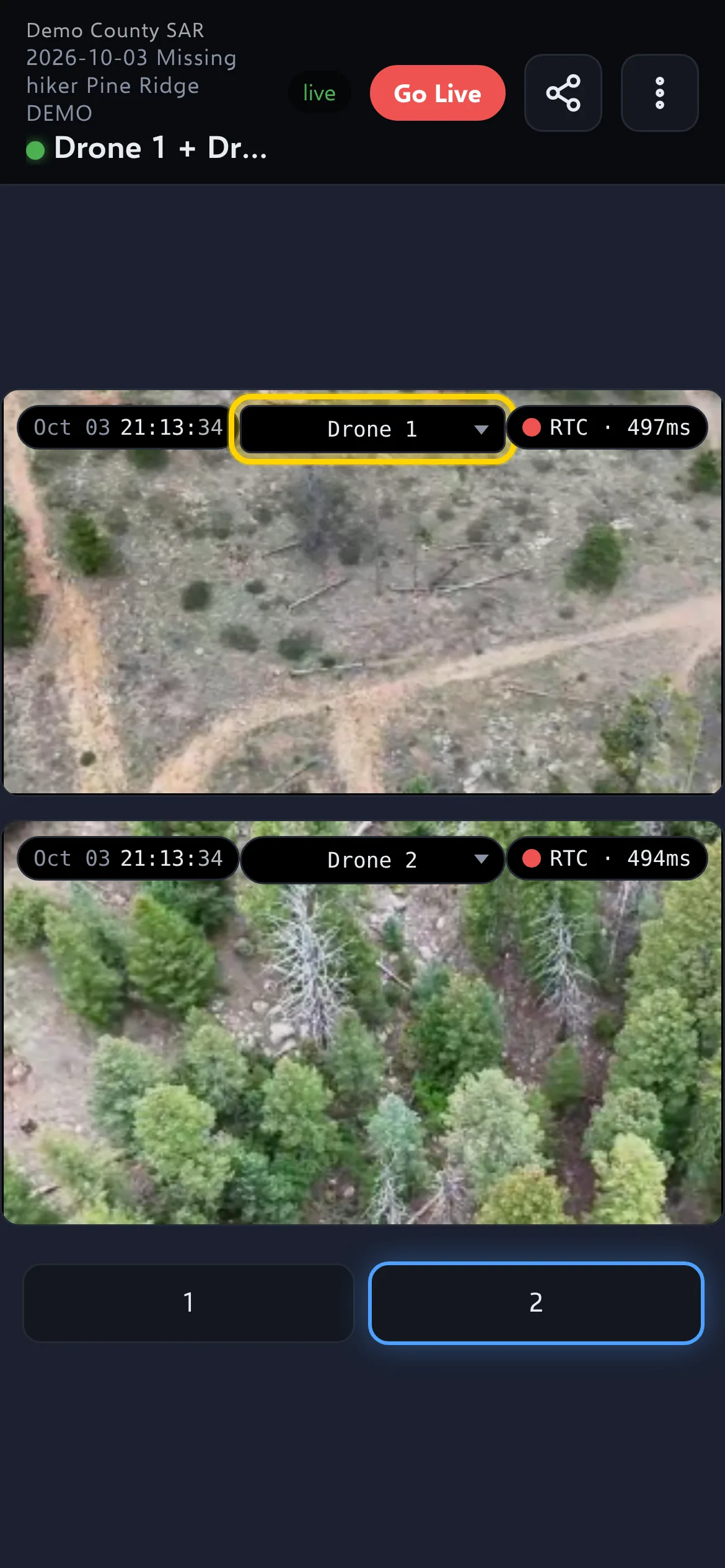
- The viewer opens and fills the screen with the live feeds by itself.
- To watch a different feed, tap the drop-down at the top of a video and pick a name.
Check it worked
The video is moving, and the status at the top of the screen says live in green.
Your access lasts while the mission is open. Codes and links stop working when the mission ends — the next mission has a new code.
If it didn't work
- "Code not valid or expired — check with your team, or use email below." — check the code. Codes change when a mission ends; ask for the current one.
- "Your link ended" — usually because the mission ended. Enter the new code, or ask your admin.
- "You're not signed in on this device." — enter the current code, or request a link.
- No email arrives after Send me a link — check spam. The page says the same thing whether or not your address is on the list, so ask your admin to add you, or use a code.
- The feed list only shows "— select a stream —" — nothing is live yet. The screen fills by itself when a drone or camera starts.
- "No signal — if this persists, pick HLS in the lag chip" — tap the small speed chip at the top right of the video and pick HLS. See Watching video.
More fixes: Something's wrong.
Next
- Watching video — split screen, zoom, full screen, screenshots.
- The map & replay