Sharing & mutual aid
Ways to let people watch, from quickest to most controlled. Viewers never need an account or an app.
| Way | Good for | Ends when |
|---|---|---|
| Viewer code (6 digits) | Reading out over the radio, a poster at the command post | The mission ends, or you rotate it |
| Viewer link (personal) | One person or one partner agency you may want to cut off alone | Its time runs out, the mission ends, or you revoke it |
| Email list (allow list) | Your own team, every mission, without sharing anything | Never — they request a link when they need one |
| Mission emails | A few people who should get a link every time a mission starts | Each link ends with its mission |
Share the viewer code
On the Join codes card, Viewer row:
- Read the code out. People enter it at
sarstream.org/joinor your agency's pagesarstream.org/<your agency>. - ⧉ Copy link — a link that fills in the code; paste it into a text.
- ⇪ Share link — shows a QR code to scan from your screen.
- 🖨 Poster — prints the code and a QR code.
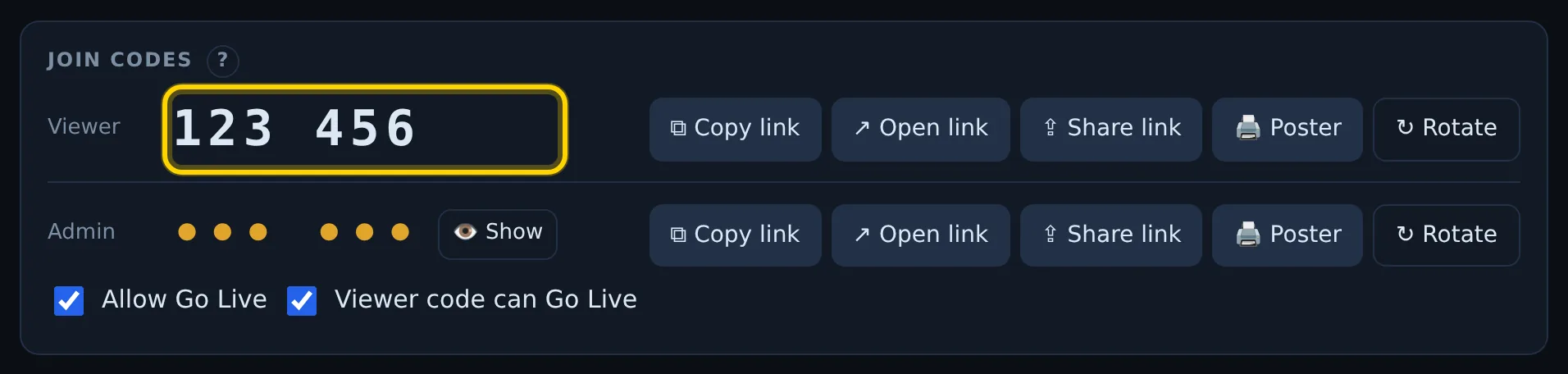
The Admin row works the same way, but it gives admin control. Its code is hidden until you select 👁 Show. Share it only with people who run missions.
Rotate a code
If a code leaked, select ↻ Rotate on its row. A new code is issued, and everyone who joined with the old one is signed out and must enter the new one. Both codes also change by themselves when a mission ends.
Send a personal viewer link
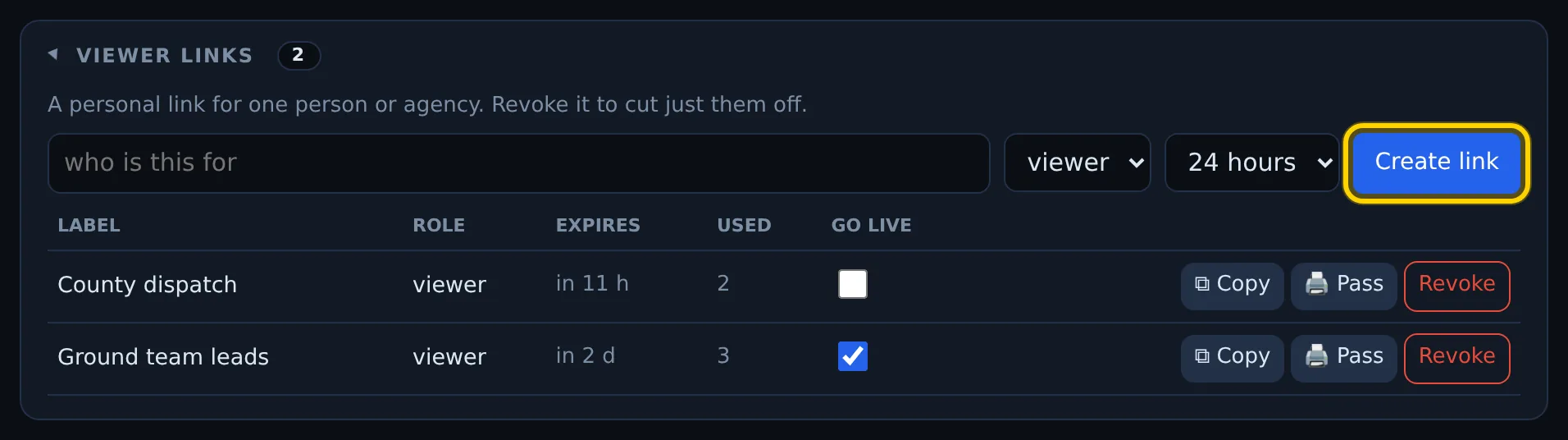
- Select Viewer links to open the card.
- In who is this for, type a name ("County dispatch").
- Keep viewer, and choose how long it works: 4 hours, 24 hours, 3 days or 7 days.
- Select Create link. The link is copied — paste it into an email or text.
Every viewer link stops working when the mission ends, so send new ones for the next mission.
The list also shows people signed in with a code or an emailed link. Expired links are hidden. For each row:
- ⧉ Copy — copy the link again.
- 🖨 Pass — print a one-person access pass with a QR code.
- Revoke — sign that link out within a minute.
- Go Live box — whether phones opened with this link may go live.
Admin links
Choosing admin instead of viewer makes a link that can end missions and manage keys. SARSTREAM asks you to confirm.
Let your team request a link by email
On the Link request allow list card, add an address or a whole domain:
name@yourteam.orgas viewer or admin;@yourteam.org(viewer only) — anyone with an address at that domain.
People on the list go to your agency's page (sarstream.org/<your agency>),
type their email and get a sign-in link. Adding someone does not email them
— tell them where to go, or select Resend: admins get a welcome email
that IS their sign-in link (it works for 24 hours).
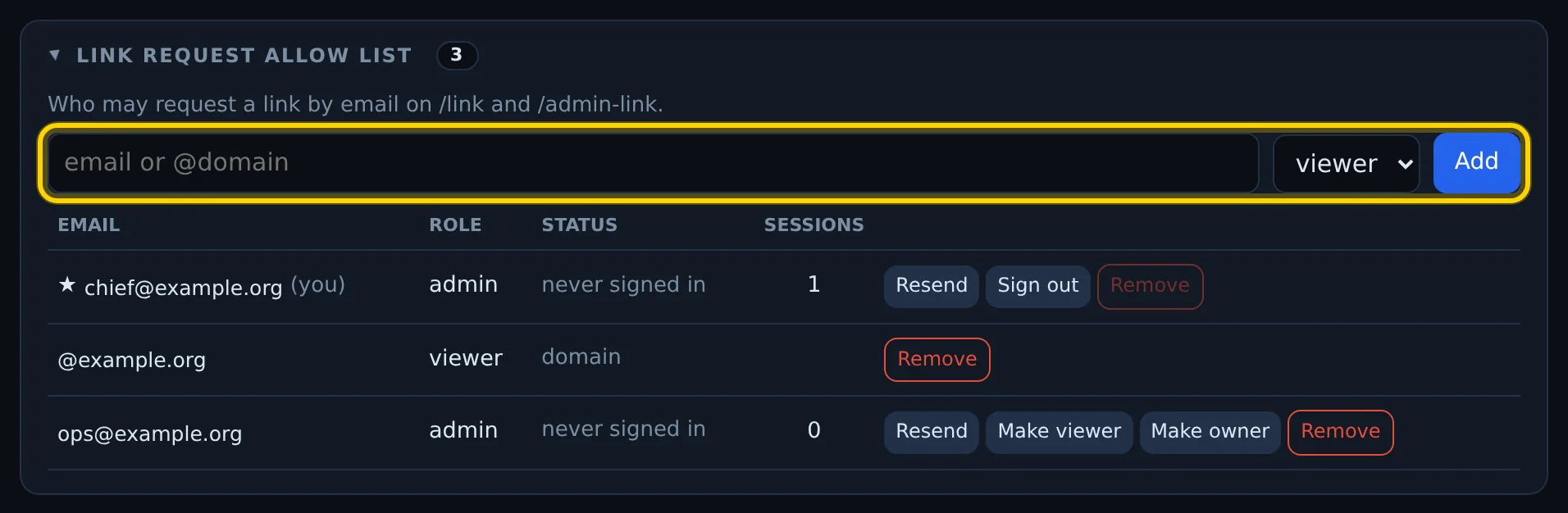
To take someone off, select Remove; Sign out signs them out of every device where they signed in with their email but keeps them on the list. More on admins: Your agency & settings.
Mutual aid: another agency's pilot flies for you
Their video goes to your mission and your viewers — no setup on SARSTREAM's side.
- On Publish keys, create a key with 24 hours or 3 days, labelled with their agency (for example "Visiting pilot — Neighbor County").
- Give it to their pilot. On their DJI controller they tap Disconnect, type your key, check that Pairs with: shows your agency, and tap Connect. (Body cams and phones: see Which way are you sending video?)
- When the job is done, their pilot taps Disconnect, types their own key and taps Connect. Their controller goes back to their agency.
The short key stops working by itself; Revoke it sooner if you like.
Let another agency watch
Send their people a personal viewer link labelled with their agency, or
add their domain (@theiragency.org) to your allow list as viewer. Viewer
links end with the mission; the allow list stays until you remove it.